
Stock photo websites had a good run that is now over.
In 2026, anyone with a keyboard and a clear idea can generate a professional image in under thirty seconds without a camera or licensing fee. Now, the tools that make this possible have multiplied fast, and they are not all equal. Some are built for beauty, some for accuracy, one is the only AI generator on the planet that produces proper vector graphics, and another is the only one that spells correctly 90% of the time.
You do not need all of them, but you need to know which one fits your needs.
These are the ten AI image generators that matter right now, ranked by what they do specifically well, who they are built for, and exactly where they fit into your creative workflow.
━━━━━━━━━━━━━━━━━━━━━━━━━━━━━━━━
1. Midjourney V7 — The Oga of Aesthetics
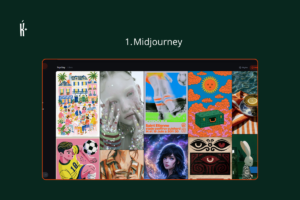
If visual beauty is the measure, Midjourney wins the argument. Version 7 delivers a level of lighting, composition, and cinematic colour grading that other tools only reach with considerable effort. Its outputs have a recognisable signature that makes a trained eye stop and ask what camera was used.
However, Midjourney reinterprets your prompt rather than executing it literally, which means creative control requires learning its specific language of keywords and parameters. But for pure image quality, nothing on this list consistently produces what Midjourney produces.
Best for: Brand imagery, editorial work, creative campaigns, and anyone with EXCEPTIONAL standards.
Price: $10/month (Basic) · $30/month (Standard)· $60/month (Pro) · $96/month (Mega)
Check it out: midjourney.com
━━━━━━━━━━━━━━━━━━━━━━━━━━━━━━━━
2. ChatGPT Image Generation (GPT Image 2) — The One Already in Your ChatGPT
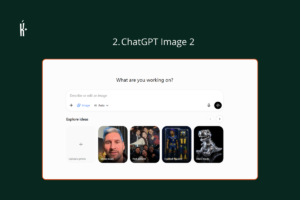
Unlike Midjourney, GPT Image 2 is completely obedient. It doesn’t try to be a fancy artist; it follows your instructions to the letter. If you need a very specific scene layout or want to edit an image iteratively through plain conversation (“make the background darker,” “move the laptop to the left”), this is your tool.
It currently holds the #1 position on Arena.ai’s blind human voting leaderboard, ahead of every competitor. The integration with ChatGPT also means you are editing images in the same workplace.
Best for: Precise visual mockups, instruction-specific image creation, and anyone already living inside ChatGPT.
Price: Free (limited daily generations) · $20/month (ChatGPT Plus, generous limits).
Check it out: chatgpt.com
━━━━━━━━━━━━━━━━━━━━━━━━━━━━━━━━
3. Ideogram 3.0 — The One That Can Actually Spell
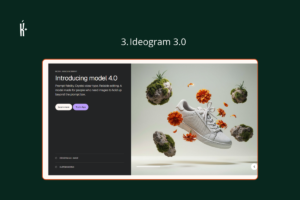
Ask any designer what frustrates them most about AI image generators and nine out of ten will say the same thing: the text. Most AI tools turn readable words into decorative gibberish the moment you ask them to put words inside an image. Ideogram does not have that problem. Version 3.0 achieves approximately 90–95% text rendering accuracy, compared to Midjourney’s 30% success rate with short phrases. That is an enormous gap.
If you have ever tried to generate a poster with your brand name on it and received an image where it was spelled wrong, backwards, or rendered as beautiful-looking nonsense, abeg switch to Ideogram. It also includes Canvas for layered editing, Magic Fill for inpainting, and Remix for guided iteration.
Best for: Social media graphics, event flyers, brand logos, thumbnails — anything where readability inside the image is non-negotiable
Price: Free (10 slow credits/day, ~40 images/week) · Plus ~$20/month Check it out: ideogram.ai
━━━━━━━━━━━━━━━━━━━━━━━━━━━━━━━━━━
4. Adobe Firefly (Image Model 4) — The One Your Lawyer Won’t Complain About
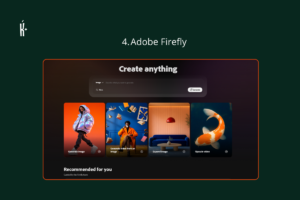
Every AI image generator on this list produces impressive visuals. Adobe Firefly produces impressive visuals that you can use in commercial work without legal anxiety. Firefly was trained exclusively on Adobe Stock images, openly licensed content, and public domain material; which means every image it generates is commercially safe by design. No hidden copyright claims or disputed training data. That legal distinction is the product for agencies, marketing teams creating assets for paying clients.
Firefly also now includes Generative Fill and Generative Expand inside Photoshop, and integrates directly into Illustrator, making it more accessible for people who already operate within Adobe’s ecosystem.
Best for: Agency work, client deliverables, brand marketing assets, and any image that must be legally clean for commercial use.
Price: Free (25 credits/month on firefly.adobe.com) · Standalone plans from #17,200 · Included in Creative Cloud subscriptions.
Check it out: firefly.adobe.com
━━━━━━━━━━━━━━━━━━━━━━━━━━━━━━━━━━
5. Google Imagen 4 (via Gemini) — The Realist
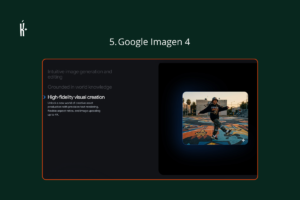
Google’s Imagen 4 — accessible through Gemini and Google AI Studio — is the strongest photorealism model in the consumer category. Third-party benchmarks rank Imagen 4 alongside Flux 2 at the top of the photorealism leaderboard, and CNET’s 2026 ranking scores it 8.0/10 specifically for photorealistic people — a category where many models still produce uncanny, slightly-wrong faces. The model reached general availability in February 2026 and has since been refined across three tiers: Imagen 4 Fast ($0.02/image), Imagen 4 ($0.04/image), and Imagen 4 Ultra ($0.06/image). For most users, accessing it through Gemini on the free tier is the easiest on-ramp, and it connects naturally to Google Workspace — Docs, Slides, and the rest.
Best for: Product shots, photorealistic human imagery, and anyone already working inside Google Workspace daily
Price: Free (via Gemini free tier) · Google One AI Premium from $19.99/month · API from $0.02/image
Try it: gemini.google.com
━━━━━━━━━━━━━━━━━━━━━━━━━━━━━━━━━━
6. Leonardo AI — The Series Builder
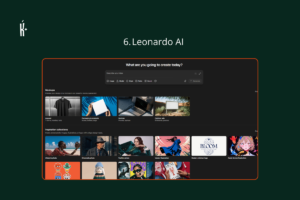
Leonardo AI, more than any other tool on this list, keeps characters consistent. If you need the same person or product in 50 different images — same face, same clothes, same proportions, different scenes — Leonardo’s Consistent Character Engine is your sure plug. This makes it the go-to tool for game developers, illustrators, comic artists, content creators building a visual series, and brand managers who need a visual identity that stays visually identical across dozens of assets.
The Apprentice plan ($12/month) unlocks character consistency and LoRA training (training the model on your own reference images), which is Leonardo’s key differentiator.
Best for: Game design, character art, visual storytelling series, and brand managers who need identical characters or mascots across many different contexts
Price: Free (150 tokens/day) · Apprentice $12/month · Artisan $30/month · Maestro $60/month
Try it: leonardo.ai
━━━━━━━━━━━━━━━━━━━━━━━━━━━━━━━━━━
7. Recraft V3 — The Designer’s Secret Weapon
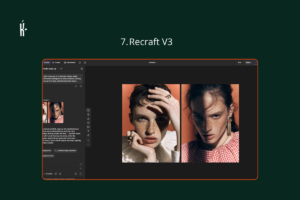
Here is something every other tool on this list cannot do: Recraft generates true SVG vector graphics. Not raster images that look like vectors. Actual SVG files infinitely scalable, editable in Illustrator or Figma, ready to use as logos, icons, UI elements, and illustrations at any size from a business card to a billboard. No other major AI image generator offers this.
Beyond vectors, Recraft includes Brand Kit functionality. You store your brand colours, style preferences, and visual identity parameters, and every image it generates applies them consistently.
Best for: Designers, brand managers, UI/UX professionals, and anyone who needs AI-generated images that work at every size without quality loss
Price: Free (30 credits/day, public images) · Paid plans from $10/month with commercial rights and private generation.
Check it out: recraft.ai
━━━━━━━━━━━━━━━━━━━━━━━━━━━━━━━━━━
8. Flux 2 Pro (Black Forest Labs) — The Open-Source Underdog With Premium Results
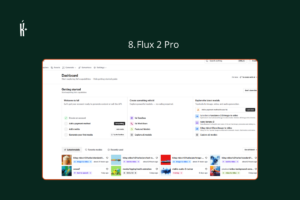
Flux 2 is the open-source model the AI image world did not see coming. Built by Black Forest Labs, it benchmarks alongside Imagen 4 at the very top of the photorealism category, which means a free, open-weight model is producing images that beat closed tools people are paying $30 a month for.
At $0.08/image via hosted APIs (fal.ai, Replicate, and others), Flux 2 Pro also offers the best photorealism-per-kobo ratio on this list. For developers who need to build image generation into their own products, Flux 2 is the obvious choice: open-source, developer-friendly, and capable enough to compete with everything above it in the photorealism category.
Best for: Developers, budget-conscious creators who need genuine photorealism, and anyone building a product that includes image generation
Price: Free (open source, download from Hugging Face) · API via fal.ai from $0.02–$0.08/image
Try it: fal.ai · replicate.com
━━━━━━━━━━━━━━━━━━━━━━━━━━━━━━━━━━
9. Canva AI— The One Already Inside Your Canva
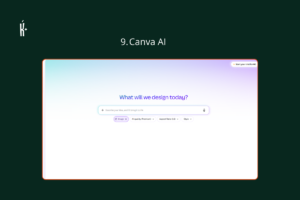
Half the African professionals reading this already have Canva open in another tab right now. Dream Lab is Canva’s built-in AI image generator — powered by Leonardo AI’s Phoenix architecture following Canva’s 2024 acquisition — and its greatest advantage is that it’s right where you already design. Any image you generate lands directly in your Canva workspace: no downloading, no uploading, no switching between tools.
The 2026 update added Style Transfer, which lets you upload a reference image and have Dream Lab generate new visuals matching its exact aesthetic. Independent testing puts it above DALL-E 3 for creative output, though behind Midjourney.
Best for: Social media content, presentations, marketing materials, and anyone whose creative workflow is already built inside Canva
Price: Included in Canva Pro ($15/month, 500 AI credits shared across all AI features) · Free tier has limited Dream Lab access
Check it out: canva.com → Canva AI
━━━━━━━━━━━━━━━━━━━━━━━━━━━━━━━━━━
10. Stable Diffusion 3.5 — The Free Spirit Who Answers to No One
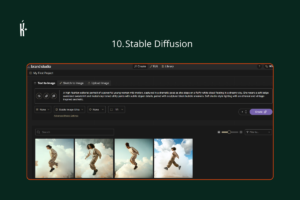
Stable Diffusion is the tool for people who want total control and are willing to invest in getting it. As a fully open-source model, SD 3.5 can be downloaded and run on your own computer with no subscription, no usage limits, no content restrictions beyond what you set yourself. The community built around it has produced thousands of custom fine-tuned models, style presets, and extensions. SD 3.5 makes it possible to train the model on your own brand’s visual identity, or need to generate large volumes of images without per-image costs.
The honest trade-off: local deployment requires a GPU with at least 9.9GB VRAM, which rules out most consumer laptops. For those who cannot run it locally, DreamStudio (Stability AI’s web interface) provides browser access with a simple credit system ($10 for 1,000 credits).
Best for: Power users, developers, high-volume creators, and anyone who wants to own their image generation stack rather than rent it monthly
Price: Free (open source, Hugging Face download) · DreamStudio web access: $10 for 1,000 credits.
Check it out: stability.ai · dreamstudio.ai
━━━━━━━━━━━━━━━━━━━━━━━━━━━━━━━━━━
Honourable Mentions
11. Grok Imagine (Aurora)
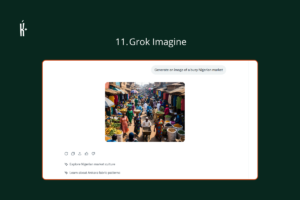
Aurora — xAI’s image model powering Grok Imagine — is one of the most interesting entrants in this space right now. What sets it apart from every other tool on this list is real-time awareness. Because Grok has live access to current information, it can generate images with contextual knowledge that static models cannot access. Aurora’s autoregressive mixture-of-experts architecture also delivers strong photorealism and accurate text placement.
It narrowly misses the main list only because it is still newer and less consistently benchmarked than the tools above, but the trajectory is steep. If you are on X regularly, this is a convenient image generator you are probably not using.
Price: SuperGrok Lite $10/month · Limited free access ·
Check it out: grok.com
━━━━━━━━━━━━━━━━━━━━━━━━━━━━━━━━━━
2. NightCafe Creator
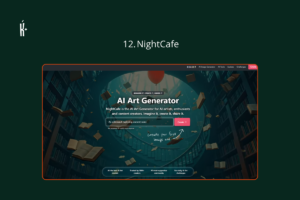
The most beginner-friendly entry point in this category. No setup, runs in the browser, free daily credits, and lets you sample multiple underlying models (Stable Diffusion, DALL-E, and others) from one place without juggling separate accounts. Not the strongest output, but the lowest barrier to a first image.
Price: Free (daily credits) · Credit packs from $5.99 ·
Check it out: creator.nightcafe.studio
━━━━━━━━━━━━━━━━━━━━━━━━━━━━━━━━━━
Which One Should I Use?
You do not need ten subscriptions. Here is how to read this list:
If you create visual content for clients or a brand and need images that look genuinely exceptional, Midjourney at $10/month is worth it. If you need to follow precise visual instructions or iterate in conversation, GPT Image 2 inside ChatGPT is already available to you. If text inside your images must actually be readable, Ideogram 3.0 na your guy — nothing else comes close at a 90% accuracy rate. If you are doing commercial client work and need images that are legally clean, Adobe Firefly is the only safe choice. If you need the same character or mascot consistently across dozens of images, Leonardo AI has a dedicated engine for exactly that. If you are a designer and need scalable vector files, Recraft V3 is the only tool that produces them. And if you are already designing in Canva, you do not need to leave; Dream Lab dey there for you!.
The best image generator is the one that removes the obstacle between your idea and your audience. Try the free tiers and trust your eye.