
Your calendar has three meetings back to back. Your inbox has 40 unread messages, four of which REALLY matter. You have a to-do list from Monday still sitting there, unbothered, on Thursday. And somewhere in the middle of all that, you are supposed to be doing the actual work you were hired to do.
This is not a discipline problem. This is a tooling problem, and in 2026, there are AI tools built specifically to solve each piece of it: the calendar chaos, the inbox noise, the meetings nobody remembers, the tasks that never get scheduled into an actual day. You do not need all ten of these. You only need to know which one solves your specific headache.
Here are the ten AI productivity tools worth knowing right now.
━━━━━━━━━━━━━━━━━━━━━━━━━━━━━━━━━━
Notion AI — The Second Brain That Answers Back

Notion has been the workspace of choice for a certain kind of organised person for years, with notes, docs, databases, and wikis all connected. The AI layer changes what that workspace can do for you. You can now ask a question across your entire workspace, “what did we decide about the client’s budget last month?” and get a real answer pulled from your own notes, instead of spending ten minutes ctrl-F-ing through old pages. It also drafts inside any document using the context of what’s already in your workspace, and can generate meeting notes automatically without you leaving the app.
If you already live in Notion, this is not an optional add-on anymore, it is close to essential. If you do not use Notion yet, the AI layer alone is a legitimate reason to start.
Best for: Teams and individuals who want notes, tasks, docs, and AI search in one connected workspace.
Pricing: Free (individuals, limited AI); Plus approx. ₦19,800/member/month; Business approx. ₦39,600/member/month (full AI features, meeting notes, research mode).
Try it here: notion.com
━━━━━━━━━━━━━━━━━━━━━━━━━━━━━━━━━━
Motion — The One That Builds Your Day For You

Most task apps show you a list and leave you to figure out when everything actually gets done. Motion does not do that. Give it your tasks, deadlines, and priorities, and it automatically slots them into actual time blocks on your calendar, around your existing meetings. When something changes, a new meeting drops in, a deadline moves, Motion rebuilds your day in real time rather than leaving you to manually shuffle everything yourself.
It is not perfect: it prefers you plan ahead rather than reshuffle at short notice, and the interface takes a little getting used to. But if you have ever looked at your task list and your calendar side by side and ended up confused about what to work on first, Motion solves exactly that problem.
Best for: Freelancers, founders, and managers who struggle to translate a task list into an actual workday.
Pricing: Individual plan approx. ₦31,000/month. No permanent free tier, but a free trial is available.
Try it here: usemotion.com
━━━━━━━━━━━━━━━━━━━━━━━━━━━━━━━━━━
Reclaim.ai — Motion’s Lighter, Cheaper Cousin

Reclaim does a narrower version of what Motion does, and it does it well: it defends time on your calendar for focus work, habits (gym, lunch, deep work blocks), and tasks, then reshuffles those blocks dynamically when a real meeting needs the slot. The standout feature is habit blocking, tell it “lunch every weekday, 45 minutes, flexible by an hour either way,” and it protects that time without you touching the calendar again.
It is calendar-only, no task management, no docs, no project structure, so you will still need a separate tool for that side of things. But the free tier is genuinely usable, which is more than Motion or Superhuman can say.
Best for: Anyone who wants smart calendar defense without committing to a full task-management platform.
Pricing: Free tier available (1 user, limited habits); paid plans from approx. ₦13,200/month.
Try it here: reclaim.ai
━━━━━━━━━━━━━━━━━━━━━━━━━━━━━━━━━━
Superhuman — The Fastest Way Through a Heavy Inbox
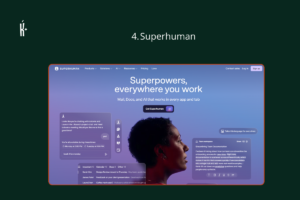
Superhuman is not an add-on to your email, it replaces your email client entirely, and it is built for one thing: speed. Every action has a keyboard shortcut. AI drafts replies that match your writing tone, learned from your own sent messages. It automatically triages incoming mail so the message from your biggest client doesn’t sit buried under twelve newsletters.
This is the most expensive tool on this list, and it only works with Gmail and Google Workspace, no Outlook. But if your inbox is a genuine daily bottleneck, the professionals who switch consistently report getting hours back every week, and for some jobs, that alone justifies the price.
Best for: Executives, salespeople, and anyone processing 50+ emails a day where speed actually matters.
Pricing: Approx. ₦49,500/month. No free tier, but a 30-day money-back guarantee.
Try it here: superhuman.com
━━━━━━━━━━━━━━━━━━━━━━━━━━━━━━━━━━
Otter.ai — The One That Remembers Every Meeting
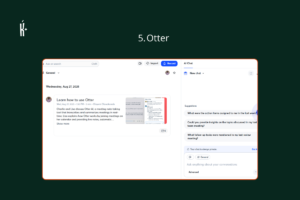
Otter joins your calls on Zoom, Google Meet, or Teams, records them, transcribes them live, and produces a clean summary with action items afterward, so nobody has to be the designated note-taker ever again. You can search across every past meeting for a specific phrase or decision, which turns “wait, what did we agree on that call three weeks ago” into a ten-second search instead of a guessing game.
Accuracy dips a little with heavy accents, background noise, or people talking over each other, worth testing with your own team’s typical call conditions before fully trusting it for anything high-stakes.
Best for: Anyone in back-to-back meetings who needs a reliable record without manually taking notes.
Pricing: Free (300 minutes/month); Pro approx. ₦28,000/month.
Try it here: otter.ai
━━━━━━━━━━━━━━━━━━━━━━━━━━━━━━━━━━
Fireflies.ai — Otter’s Rival With a CRM Habit

Fireflies does much of what Otter does, joins meetings, transcribes, summarises, pulls out action items, but its edge is how tightly it plugs into sales and project tools. It pushes call notes, questions asked, and key metrics straight into your CRM or project management tool without you copying anything over manually. For sales and customer-facing teams specifically, this integration is the whole point.
One thing to watch: auto-join is enabled by default, meaning it can quietly show up on calls you didn’t intend to record. Turn it off for sensitive meetings before it becomes an awkward surprise.
Best for: Sales teams and managers who need meeting content flowing directly into their CRM.
Pricing: Free tier available; Pro approx. ₦29,700/month.
Try it here: fireflies.ai
━━━━━━━━━━━━━━━━━━━━━━━━━━━━━━━━━━
Zapier — The Glue Between Every App You Use
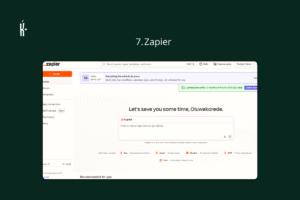
Zapier’s job is to connect the apps you already use so they talk to each other without you manually copying data between them. New form submission drops a row into your spreadsheet, a spreadsheet update posts a message in Slack, a new client email creates a task in your project tool, all without you touching anything after the initial setup. Its newer AI-powered “Agents” can now handle more of the decision-making inside these workflows, not just moving data but deciding what to do with it.
The learning curve is real if you have never built an automation before, but once one workflow is running, it keeps running quietly in the background, forever, without asking you for anything.
Best for: Anyone doing the same repetitive task across multiple apps every single week.
Pricing: Free (100 tasks/month); Starter approx. ₦33,000/month.
Try it here: zapier.com
━━━━━━━━━━━━━━━━━━━━━━━━━━━━━━━━━━
Grammarly — The One That Catches What You Missed

Grammarly has been around long enough that it barely feels like AI anymore, but the current version does far more than red-underline typos. It now suggests tone adjustments, tightens wordy sentences, flags when an email reads more aggressively than you intended, and adapts its suggestions to the platform you’re writing on, an email reads differently from a LinkedIn post, and Grammarly knows the difference.
It works everywhere you already type, browser, Word, Gmail, Slack, so there is genuinely no new habit to build. You just start seeing better suggestions.
Best for: Anyone whose job involves writing daily, especially client-facing or external communication.
Pricing: Free (core grammar checking); Premium approx. ₦19,800/month.
Try it here: grammarly.com
━━━━━━━━━━━━━━━━━━━━━━━━━━━━━━━━━━
Todoist — The Budget Task Manager That Still Gets It Done

Not everyone needs Motion’s full auto-scheduling engine, sometimes you just need a clean, reliable place to put your tasks and trust that they won’t disappear. Todoist does that job simply and cheaply, with AI features layered in for suggesting due dates, breaking a big task into smaller subtasks, and prioritising your list when everything feels equally urgent.
It will not build your day for you the way Motion does, but for the price, it remains one of the most dependable task managers available, and it integrates with over 60 other tools.
Best for: Budget-conscious users who want solid task management without paying for a full auto-scheduling system.
Pricing: Free (core features); Pro approx. ₦6,600/month.
Try it here: todoist.com
━━━━━━━━━━━━━━━━━━━━━━━━━━━━━━━━━━
Sunsama — The Daily Planning Ritual, Not Just a To-Do List

Sunsama is built around a specific idea: that planning your day should be a deliberate, five-minute ritual every morning, not something that happens on autopilot. It pulls tasks in from Asana, Trello, Jira, Linear, and your email, then asks you to actually choose what fits into today, with realistic time estimates, rather than dumping an infinite list on you and hoping for the best.
It is a gentler, more mindful approach than Motion’s full automation, some people want the AI to just decide for them, others want a guided moment to decide for themselves. Sunsama is built for the second group.
Best for: Anyone who wants a calm, guided daily planning habit rather than a fully automated calendar.
Pricing: Free trial only; approx. ₦33,000/month after.
Try it here: sunsama.com
━━━━━━━━━━━━━━━━━━━━━━━━━━━━━━━━━━
Kini Big Deal?
None of these tools make you smarter, more disciplined, or better at your job. What they do is remove friction, the calendar Tetris, the buried email, the meeting nobody wrote down, the task that fell through the cracks because nobody scheduled a time to actually do it.
For African professionals building businesses, running churches, teaching, freelancing, or managing teams without the luxury of a personal assistant, that friction removal is the difference between a week that runs you and a week you actually run. The tools on this list are, in a sense, the personal assistant most of us could not afford to hire, available now for a low cost.
Start with the one bottleneck that actually costs you the most time. Don’t jump into everything at once; try am one by one. Master one before you add another, and let the tool disappear into your routine rather than become another thing on your to-do list.